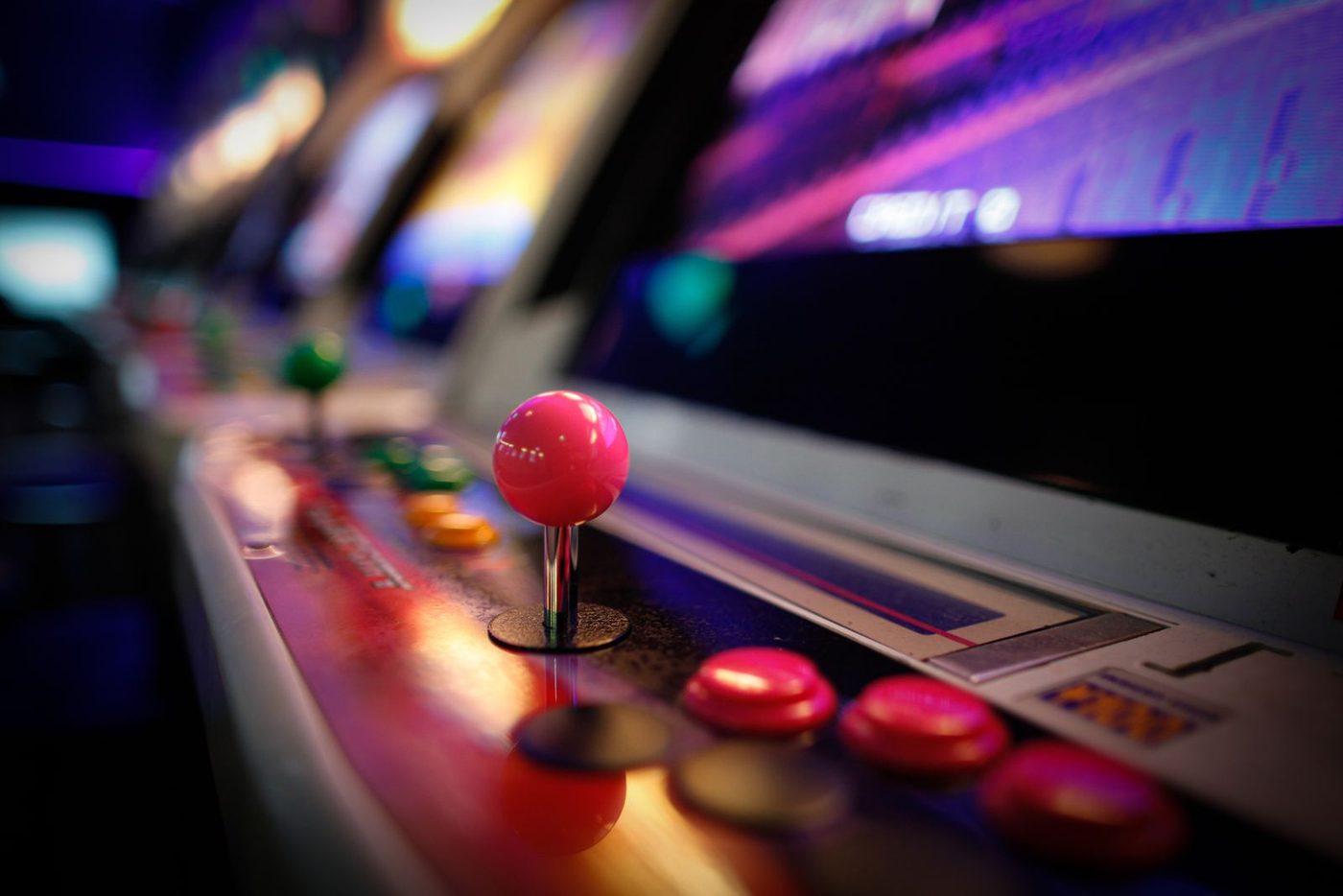
A video game party suits ages 5 to 13, works any month, and runs indoors or in a backyard. The trick is to keep the screens off and turn the party itself into a game. Guests are players, the house is a world with three levels, and the cake is the final level.
That one idea solves the biggest problem with this theme: a pack of kids crowded around one console, half of them waiting. Real-life levels keep everyone moving and give you the bragging rights kids love. Here is the plan for a 9th birthday with 12 guests (7 kids and 5 adults). The video game theme page has the full idea list; this is how to run it. For the dates and the to-do list, our free birthday planner builds a step-by-step plan from your party date.
Build the world in 7 steps
- Map three zones. You need a build zone, a clear floor or patio about 8 by 8 feet. Add a level course in a hallway or the yard, and a pixel wall on a big window or glass door. Label each with a printed sign: World 1, World 2, World 3.
- Start collecting boxes 3 weeks out. Aim for 30 to 40 cardboard boxes of mixed sizes, enough for two teams. Shoe boxes, cereal boxes and delivery boxes all count. A big tub of plastic building blocks works too.
- Paint 6 to 8 big boxes as giant blocks. Green tops and brown sides read instantly as pixel dirt and grass. These are your decor before the party and your build-off pieces during it.
- Tape the pixel grids the night before. Each team gets a 10 by 10 grid of painter's tape on the glass, sized for 3-inch sticky notes. That's 100 squares per picture, so buy about 300 notes in 4 or 5 colors for two grids and spares.
- Print the target pictures. Draw or print 3 simple 10 by 10 pixel pictures: a heart, a star and a slice of cake. Graph paper makes this easy. Let teams pick.
- Cut 21 paper power-up stars. That's 3 per kid, one for each level of the obstacle course. Yellow card stock, a star template, 15 minutes with scissors.
- Name a game master. One grown-up holds the timer, explains each level in one sentence and calls "Level complete." Kids this age follow a confident timer far better than a polite request.
Real-life levels, no controllers
Kids ages 5 to 13 love a challenge with a clock on it. Keep each level to 15 or 20 minutes, alternate a team game with a moving one, and announce every switch like a new level loading.
Block tower build-off
Ages 5 to 12 · 15 minutes · 2 teams of 3 or 4
On "go," each team gets 10 minutes to build the tallest tower that stands on its own. The game master counts 10 seconds at the end, and a tower that's still up counts. Measure both with a tape measure for the scoreboard, then knock them down together.
- You need: 30 to 40 cardboard boxes or a big tub of building blocks (free, or borrowed), a phone timer, a tape measure
Level-up obstacle course
Ages 6 to 12 · 15 minutes · up to 12 kids, one at a time
Level 1 is a crawl under a blanket and level 2 is hopping between tape squares. Level 3 is a balance walk along a tape line. At the end of each level, the player grabs a power-up star. Send the next player when the last one reaches level 2.
- You need: pillows or cones, a blanket, painter's tape (about $5), 21 paper stars from a pack of yellow card stock (about $5)
Pause, lag, glitch
Ages 5 to 10 · 5 to 10 minutes · any number
Kids dance or walk around while the game master calls commands. "Pause" means freeze, "lag" means move in slow motion, and "glitch" means jerky robot moves. Anyone who gets it wrong "respawns" with a spin and keeps playing. It needs no supplies and fills any gap between levels.
- You need: nothing, music optional
Sticky-note pixel art
Ages 7 to 13 · 20 minutes · 2 teams of 3 or 4
Each team picks a target picture and copies it onto their tape grid, one sticky note per square. Let them choose their own way to split the work. Snap a photo of each finished wall for the parents' group chat.
- You need: about 300 sticky notes in 4 or 5 colors (about $10 to $15), the taped grids, the printed pictures
Gamer bingo
Ages 5 to 10 · 10 minutes · up to 12 kids
The game master calls out words like "boss," "coin" and "level," and kids mark their cards. Keep calling until every kid has a row. It's the quiet backup round if the pixel wall finishes early, or for ages 5 and 6 instead.
- You need: bingo cards and the calling sheet (free in the video game printables; print two sets of four), 7 markers (about $5)
The character design station
Set a table with graph paper, markers and a few printed example characters. Kids design their own game character, give it a name and three powers, and tape it to the "Player select" wall. It runs itself as guests arrive and needs about 6 feet of table for 7 kids.
- You need: a pad of graph paper (about $3 to $5), 2 packs of markers (about $5 to $8), tape
Prizes: the power-up stars are the prize, and every player earns three. For teams, the winners get a cheer, not a prize. If you want a small extra, a pixel sticker sheet costs about $1 per kid.
Games shopping list: painter's tape, yellow card stock, sticky notes in 4 or 5 colors, graph paper, markers, sticker sheets, plus boxes or blocks you collect.
What the levels cost
| Level | Per guest | 12 guests |
|---|---|---|
| Simple Home food, homemade games | $15 | $180 |
| Standard Bakery cake and one hired activity | $30 | $360 |
| Splurge Entertainer, rentals, and custom decor | $50 | $600 |
| Level | About | What it buys for a video game party |
|---|---|---|
| Simple | $180 | Free boxes and paint you have, homemade square sandwiches and brownie blocks, a DIY "Level up!" banner, sticky notes and tape, a graph-paper favor |
| Standard | $360 | Pizza for everyone, a grocery bakery sheet cake you decorate with pixel squares, green, blue and brown balloons, a printed banner, a small building block set as the favor |
| Splurge | $600 | A rented video game truck or gaming trailer for part of the party (prices vary widely by area, so get quotes), a custom pixel cake, a balloon arch, nicer favors |
Here is how Festidy splits the standard budget:
| Where it goes | Share | Of $360 |
|---|---|---|
| Food and cake | 40% | $145 |
| Entertainment and activities | 25% | $90 |
| Decor and tableware | 20% | $70 |
| Favors and extras | 15% | $55 |
For this theme, the entertainment share mostly goes to block sets, tape and sticky notes, so it stays cheap. Shift the savings into the cake or the favors.
Decor that does the heavy lifting
- Painted box blocks (DIY). Stack them by the door and around the cake table. They cost a few dollars in paint and become the game pieces later.
- The "Level up!" banner (DIY or buy). Spell out "Level 9 unlocked" in square letters. Hang it over the cake table where every photo will catch it.
- Pixel balloons (DIY). Stick black paper squares onto green and blue balloons in a stepped pattern. Ten balloons is plenty.
Skip screens on the walls, printed-character tableware and a balloon arch at the Simple level. Graph-paper place cards with each player's name are a nice extra if you have 20 spare minutes. Keep latex balloons and pieces of popped ones away from younger siblings; they're a choking risk for kids under 8 (CPSC).
Snacks for players
Everything on this menu is square, which is the whole joke. For 12 guests, Festidy's numbers are:
| What | How many | Why |
|---|---|---|
| Large pizzas | 4 | 2 slices a kid, 3 a grown-up, 8 a pizza |
| Plates | 24 | 30 cups and 36 napkins too |
| Kids' drinks | 14 | Juice boxes, pouches or lemonade: 1 a kid an hour |
| Grown-ups' drinks | 15 | Soda, sparkling water, beer or wine: 2 each the first hour, then 1 |
| Waters (8 oz) | 19 | 8 oz a kid an hour, half that for grown-ups; or about 1.5 gallons in a dispenser |
| lb of ice | 24 | 2 lb a guest; double it on a hot day |
| Cups of fruit or veg | 12 | Plus about 21 oz of chips |
| Favors | 9 | One per child, plus 2 spares |
| Cake servings | 12 | an 8-inch round or a dozen cupcakes: 7 kids, 5 adults |
- Block sandwiches. Cut sandwiches into 2-inch squares and stack them in a tower. Plan 4 squares per kid as a side to pizza, so 7 sandwiches cut into quarters.
- Pizza. Four large pizzas cover 7 kids at 2 slices and 5 adults at 3. Ask for square cut, often called party cut.
- Brownie blocks. One 9 by 13 pan cut into 24 squares, half frosted green on top. That's dirt-and-grass blocks for under $10.
- Power-up fruit cups and blue energy punch. Mix blue sports drink with lemon-lime soda, about half and half. For 2 hours that's 14 cups for the kids (one an hour) and 15 drinks for the grown-ups; set out 19 small (8 oz) waters too.
Bakery cake: order a quarter-sheet cake in plain white buttercream, about 20 servings. At home, cover the top with a grid of square candies or fondant squares in green and brown. Stand the birthday number in toy blocks on top.
DIY cake: bake a 9-inch square cake, frost it, and press on small cracker or chocolate squares in a pixel pattern. Pipe a thin grid line between them to sharpen the pixels.
Game day, level by level
| Time | What happens | Minutes |
|---|---|---|
| 0:00 | Player check-in at the character design station | 25 |
| 0:25 | Pause, lag, glitch | 5 |
| 0:30 | World 1: block tower build-off | 15 |
| 0:45 | World 2: level-up obstacle course | 15 |
| 1:00 | Snack break | 20 |
| 1:20 | Cake: the final level | 15 |
| 1:35 | World 3: sticky-note pixel art, or gamer bingo for ages 5 and 6 | 20 |
| 1:55 | Favors, then logout | 5 |
The pixel wall goes last on purpose. It's calm, it's a team effort, and it gives parents something to photograph at pickup. If the birthday kid really wants a console, add one 15-minute "bonus level" during free play. Use a sign-up sheet and a timer. Don't make it the main event.
Favors worth collecting
- A small building block set, about $3 to $5 in a multipack. It ties straight back to the build-off.
- A pixel art kit (non-candy): a pad of graph paper and a small pack of markers, about $2 to $3. Kids keep designing at home.
Add the power-up stars they earned, and a few square candies if you like. You need 9 favors: one per child plus 2 spares for siblings.
Game over: mistakes to avoid
- A console in the main room. It pulls every kid to one screen. If it's there, it's a timed station, not the background.
- Teams that are too big. With 7 kids, make two teams of 3 or 4. Five kids on one tower means three kids watching.
- Towers taller than the builders. Boxes come down on heads. Set the rule: no standing on chairs, and a tower counts if it stands for 10 seconds.
- Tape on fresh paint. Even painter's tape can lift new paint. Use glass, or tape the grid onto a sheet of poster board.
Bonus levels: three variations
- Ages 5 to 6: skip the pixel wall, which is listed for 7 and up, and run the build-off twice with soft blocks. Keep the obstacle course short, with 2 levels.
- Ages 11 to 13: run a points board across all three worlds and crown a champion team. Add a blind-build round where one teammate describes a picture and the other builds it.
- Racing twist: for kids who love racing games, swap the obstacle course for a cardboard-box car race. The race car party guide has the details.
Video game party questions
Do I need a game console for a video game party?
No. The theme lands through square food, box blocks and real-life levels. A console is optional, and it works best as one short, timed station.
How many games does a 2-hour video game party need?
Four or five, counting a check-in activity. Two active levels before food, one calm team game after cake and a no-supply filler like pause, lag, glitch cover the whole party.
How do I theme it without using a specific game's name?
Use the look, not the brand: pixel squares, block building, power-up stars and "Level up" signs. Kids will name their favorite game themselves.
How many kids should I invite?
For ages 5 to 7, the age-plus-one rule of thumb keeps it manageable. For older kids, 6 to 10 players fits two teams well and keeps every station busy.
Ready to put dates on it? Start your video game party plan and Festidy sizes the shopping list to your headcount.